JAMB CAPS 2025 Portal Login – How to Access and Use the JAMB CAPS Portal (caps.jamb.gov.ng)
JAMB CAPS 2025 Portal Login: If you’re curious about how the JAMB CAPS portal works and how to monitor your 2025 admission process, this guide is for you. The JAMB Central Admission Processing System (CAPS) is one of the most important platforms for every UTME and DE applicant, and understanding how to use it correctly can make your admission journey much easier.
This guide explains what JAMB CAPS is, how it works, and how you can log in, check your admission status, and accept or reject the provisional admission offered to you.
About JAMB CAPS
Before the introduction of CAPS, JAMB’s major function in the admission process was administering the UTME and issuing admission letters. Individual institutions handled admissions on their own, a process that was often criticized for being inconsistent and unfair. Many qualified candidates were denied admission without justification.
To solve these issues and create a transparent, standardized admission system, JAMB introduced the Central Admission Processing System (CAPS). CAPS automates the entire admission process, ensuring fairness, efficiency, accountability, and equal opportunity for candidates.
What is JAMB CAPS (Central Admission Processing System)?
JAMB CAPS is a digital platform created under the directives of the Federal Government and implemented by the Ministry of Education to regulate and standardize the admission process for all Nigerian tertiary institutions.
With JAMB CAPS, candidates can:
- Register for the UTME/DE
- Monitor their admission status
- Accept or reject admission offers
- Explore alternative admission options via the Marketplace (if their preferred institutions do not admit them)
CAPS ensures that all admissions are processed on a unified portal, preventing manipulation and ensuring that merit-based selections are followed.
How to Log-in to JAMB CAPS 2025 Portal
Follow the steps below to access the JAMB CAPS portal:
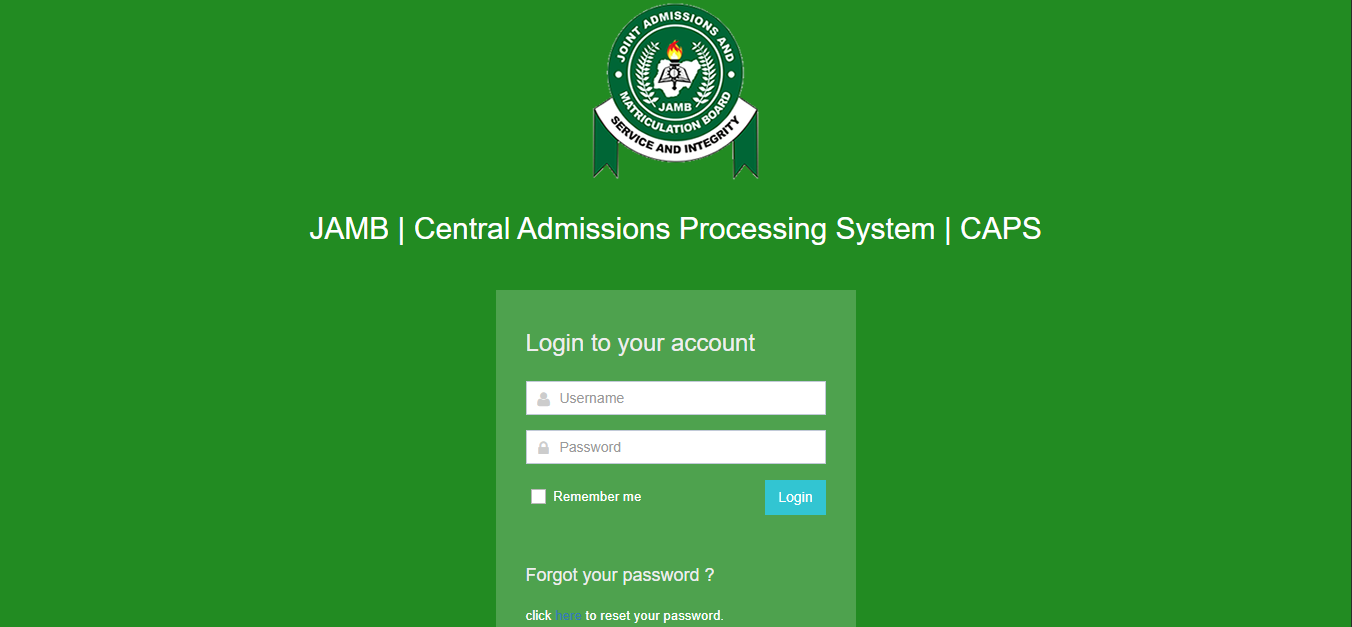
- Visit the official JAMB CAPS portal
- Enter your email address and password (the ones you used during JAMB registration).
- Click Login to access your CAPS dashboard.
- Scroll down and select CAPS (UTME/DE).
- Your personal profile information and admission status options will display.
Recommended Posts:
- UNILAG Admission List
- OAU Post-UTME Screening Result
- JAMB Result Checker
- AKSCONS Admission List
- Obong University Student Portal
- YABATECH HND Admission Portal
- LASU SPTS Admission
How to Check Your Admission Status on JAMB CAPS
Here is a step-by-step guide:
- Visit the JAMB CAPS admission checking page.
- Log in with your JAMB email and password.
- Scroll to locate “CAPS UTME/DE Admission Status”.
- Tap “Admission Status” to open your CAPS profile.
- Select “UTME/DE Admission” to view your current admission status.
If You Have Been Offered Admission
- Click “Accept Admission” if the institution and course match your preferred choices.
- Click “Reject Admission” if it is not your desired offer or if you plan to wait for another school.
N/B: Do not click ‘Accept Admission’ if:
- The course and institution fields are blank
- You have not yet been officially offered admission
Admission on CAPS is released in batches, so keep checking regularly.